
A Virtual Private Network (VPN) is one of the simplest and most powerful tools you can use to stay private, secure, and unrestricted online. Whether you want to protect your personal data, bypass content restrictions, or secure your internet connection on public WiFi, a VPN gives you a safer and more open internet experience.
In this guide, we’ll break down exactly what a VPN is, how it works, and what you should know before choosing one.
How Does a VPN Work?
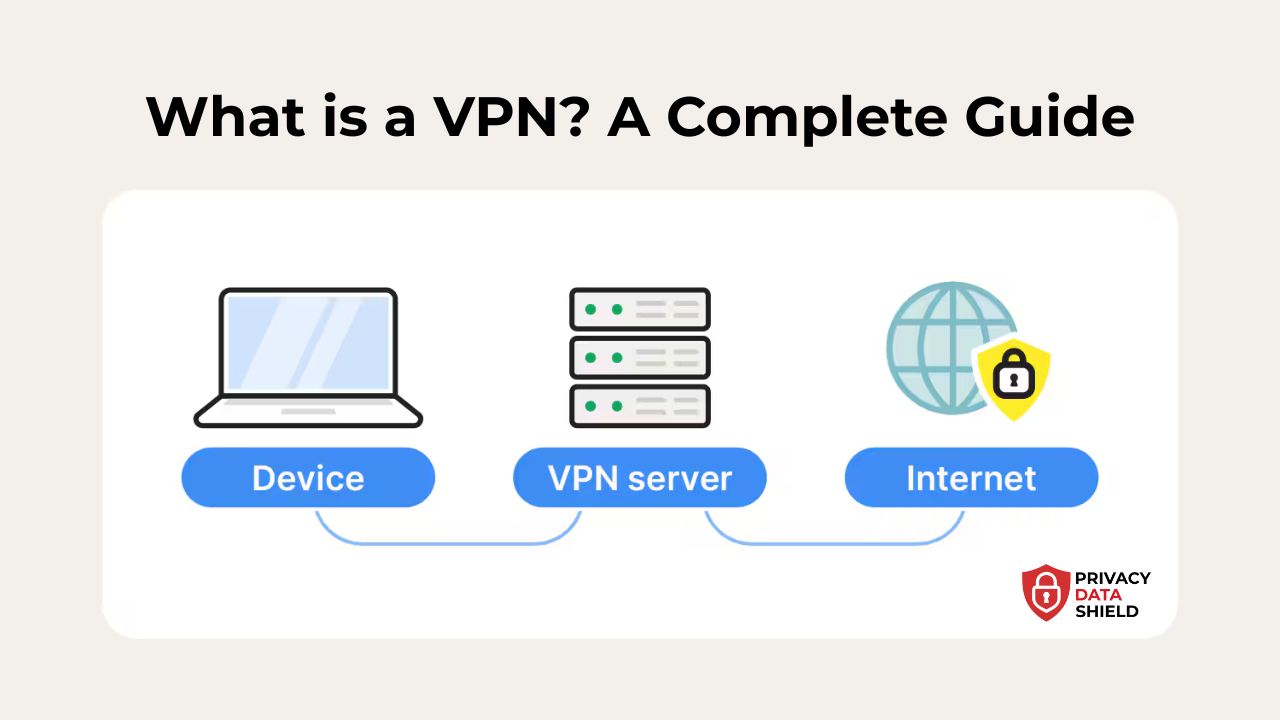
A VPN works by creating an encrypted tunnel between your device and a remote server operated by the VPN service. When you connect:
- Your internet traffic is encrypted.
- Your real IP address is hidden.
- Websites, apps, and networks see the IP address of the VPN server instead of yours.
- Hackers, ISPs, and advertisers can’t track your online activity.
In simpler terms:
A VPN masks your identity and protects your data while routing all your traffic through a secure, private connection.
Why Should You Use a VPN?
A VPN is no longer a “tech-only” tool. Today, it benefits almost every type of internet user.
1. Online Privacy
Your ISP (internet provider) can track everything you do. Advertisers can build profiles about you. A VPN hides your activity from them.
2. Security on Public WiFi
Public hotspots in airports, cafés, and hotels are unsafe. VPN encryption keeps your logins, banking data, and personal info protected.
3. Bypass Geo-Restrictions
Streaming services, websites, and apps often restrict content by region. A VPN lets you access content available in other countries.
4. Avoid Bandwidth Throttling
Some ISPs slow down your speed when you stream or download. A VPN hides your usage, preventing targeted throttling.
5. Safe File Sharing
VPNs protect your identity when downloading or sharing files online.
6. Work & Business Security
Remote workers use VPNs to access company networks safely.
VPN Vulnerabilities
A VPN improves security, but it’s not magic. There are areas where poor-quality VPNs can fail:
- Weak encryption that can be cracked.
- DNS or IP leaks that expose your online identity.
- Logging policies that store user activity.
- Insecure protocols like PPTP.
- Free VPNs that often sell user data.
Always choose a reputable VPN with proven security features.

The highly popular VPN service, ExpressVPN uses TrustedServer technology for best-in-class privacy and high connection speed. It is an excellent choice for secure browsing.


What to Look for When Choosing a VPN?
When selecting a VPN in 2026, focus on:
1. No-logs policy
The provider should not collect or store your activity data.
2. Strong encryption
AES-256 or ChaCha20 is recommended.
3. High-speed servers
Look for optimized servers for streaming, gaming, and downloads.
4. Kill switch
Automatically blocks traffic if the VPN disconnects.
5. Wide server network
More global locations = more access options.
6. Multi-device support
Ensure it works on phones, laptops, PCs, tablets, and routers.
7. Customer support
24/7 support is extremely useful.
How to Set Up a VPN Connection
Setting up a VPN is simple:
Step 1: Choose a VPN provider (ExpressVPN, NordVPN, Surfshark, etc.)
Step 2: Download the VPN app on your device.
Step 3: Open the app and log in.
Step 4: Select a server location.
Step 5: Click Connect.
Most VPN apps auto-select the fastest server, making setup almost instant.
What Is a VPN Client?
A VPN client is the software application you install on your device. Its job is to:
- Authenticate your device.
- Create an encrypted tunnel.
- Manage server connections.
- Display your connection status.
Clients are available for Windows, Android, iOS, macOS, Linux, and even smart TVs.
What Is a VPN Server?
A VPN server is a remote server that handles your encrypted traffic. When connected:
- Your IP changes to the server’s IP.
- Your location appears where the server is located.
- Your online traffic passes through this server securely.
VPN providers operate thousands of servers worldwide.
What Is VPN Encryption?
VPN encryption converts your internet data into unreadable code. Even if someone intercepts your data, they can’t understand it.
Common encryption standards:
- AES-256: Military-grade, industry standard.
- ChaCha20: Fast and secure, often used on mobile.
- RSA: Used for key exchange.
Strong encryption is the core of a secure VPN.
What Is VPN Tunneling?
VPN tunneling is the process of encapsulating your internet traffic inside a protected, encrypted tunnel.
Common tunneling techniques:
- Secure Sockets Tunneling
- Encrypted data encapsulation
- Multi-hop routing (through two servers)
This prevents outsiders from seeing your activity.
Types of VPN
There are several types of VPNs:
1. Remote Access VPN
Used by everyday users to secure their connection.
2. Site-to-Site VPN
Used by companies to connect multiple office networks.
3. Personal VPN (commercial VPN)
The kind you install to browse anonymously and unblock websites.
4. Mobile VPN
Optimized for phones and unstable networks.
VPN Protocols
VPN protocols determine how your data is transmitted and protected.
The most common ones:
1. OpenVPN
Secure, open-source, widely trusted.
2. WireGuard
Very fast, modern, lightweight.
3. IKEv2/IPSec
Stable on mobile networks.
4. Lightway (ExpressVPN)
Faster, secure, and built for performance.
5. Shadowsocks
Used for bypassing censorship.
6. PPTP (not recommended)
Old and insecure.
Frequently Asked Questions (FAQ)
Is using a VPN legal?
Yes, VPNs are legal in most countries, including the United States.
Will a VPN slow down my internet speed?
Some speed loss is normal, but premium VPNs minimize it.
Can a VPN hide my browsing history?
Yes. Your ISP cannot see what you do online when connected to a VPN.
Can I use a VPN for streaming?
Yes. Many VPNs unblock Netflix, Hulu, Disney+, and more.
Is a free VPN safe?
Generally no. Free VPNs usually log data, show ads, or sell user info.
Add a Comment