
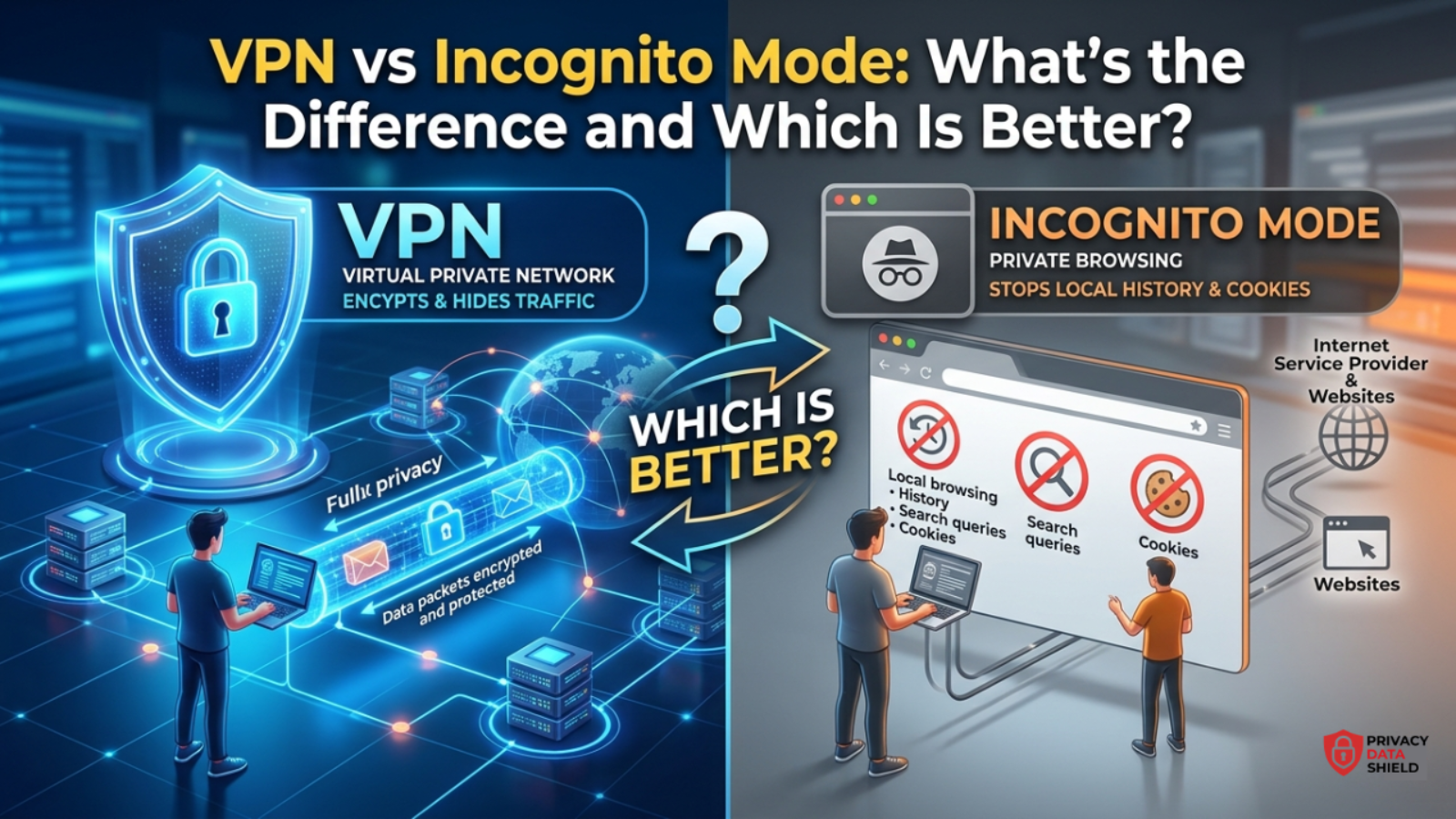
Most people assume incognito mode and a VPN do the same job. They don’t. One clears your local browsing trail. The other encrypts and reroutes your entire connection. Mixing them up is one of the most common privacy misunderstandings online, and it can leave you far more exposed than you think.
Here’s the short version: incognito mode hides your activity from the person using your device. A VPN hides your activity from your internet provider, network, and the websites you visit. They solve different problems, and understanding that difference is the first step to actually protecting your privacy.
What Is Incognito Mode, Really?
Incognito mode (called “Private Browsing” in Firefox and Safari) is a browser setting, not a security tool. When you open a private window, your browser agrees to skip a few local record-keeping steps:
- It won’t save your browsing history
- It won’t store cookies or site data after you close the window
- It won’t remember form entries or search suggestions
That’s it. Nothing about your traffic changes once it leaves your device. If you want the full breakdown of how browsers handle private sessions versus a real privacy tool, our complete VPN guide covers the mechanics in more depth.
What Incognito Mode Does NOT Hide
This is the part most people get wrong. In incognito mode:
- Your ISP can still see every site you visit
- Your employer or school network can still log your activity
- Websites can still see your real IP address and location
- Your network administrator (on shared Wi-Fi, like a café or airport) can still monitor your traffic
- Google, advertisers, and trackers can still fingerprint your device using your IP, browser, and system details
Incognito mode was built to hide activity from someone using the same physical device after you like a shared family laptop not to hide you from the internet itself.
What Is a VPN, and How Is It Different?
A VPN (Virtual Private Network) works at the network level, not the browser level. When you connect to a VPN, your device creates an encrypted tunnel to a remote server, and all your internet traffic routes through it before reaching its destination.
Practically, this means:
- Your real IP address is masked and replaced with the VPN server’s IP
- Your ISP sees only encrypted traffic, not which sites you visit
- Websites see the VPN server’s location, not yours
- Coverage applies system-wide apps, browsers, and background processes not just one browser tab
Unlike incognito mode, a VPN’s protection doesn’t disappear when you close a window. It stays active for as long as you’re connected. If you’re comparing specific providers, our Surfshark VPN review breaks down how a full-tunnel VPN performs in real-world testing.
VPN vs Incognito Mode: Side-by-Side Comparison
| Feature | Incognito Mode | VPN |
|---|---|---|
| Hides browsing history locally | ✅ Yes | ❌ Not its job |
| Hides activity from ISP | ❌ No | ✅ Yes |
| Hides your real IP address | ❌ No | ✅ Yes |
| Works outside the browser | ❌ No | ✅ Yes (system-wide) |
| Protects on public Wi-Fi | ❌ No | ✅ Yes |
| Bypasses geo-restrictions | ❌ No | ✅ Yes |
| Stops cookies during session | ✅ Yes | ❌ Not directly |
| Encrypts internet traffic | ❌ No | ✅ Yes |
Which One Should You Actually Use?
This isn’t really an either/or decision they serve different purposes and work well together.
Use incognito mode when:
- You’re shopping for a gift on a shared device and don’t want it in the history
- You want to log into a second account without affecting your main session
- You’re checking prices and want to avoid dynamic pricing based on cookies
Use a VPN when:
- You’re on public Wi-Fi (airports, cafés, hotels)
- You want to stop your ISP from logging or throttling your activity
- You’re accessing sensitive accounts like banking or work systems remotely
- You want to browse without exposing your real location
Use both together when:
You want maximum practical privacy the VPN handles network-level protection while incognito mode prevents local storage of your session.
The FTC’s own guidance on VPN apps notes that consumers should research a VPN’s encryption and privacy practices carefully before trusting it with their traffic, since not every app that claims to protect you actually does see the FTC’s VPN guidance for more on what to check before choosing one.
Common Mistakes People Make
- Assuming incognito hides your IP – it never has and never will.
- Thinking incognito protects you on public Wi-Fi – it offers zero protection against network snooping.
- Believing a VPN alone stops all tracking – a VPN hides your IP, but cookies and fingerprinting can still identify you unless you also clear local data.
- Using a free VPN and assuming it’s equivalent to a paid one – many free VPNs log and sell data, which defeats the purpose entirely.
To see how we evaluate VPN privacy claims and testing standards, visit our page on what Privacy Data Shield does, or browse our full VPN comparison hub for current rankings.
Frequently Asked Questions
1. Does incognito mode hide your IP address?
No. Incognito mode only prevents your browser from saving local history, cookies, and form data. Your IP address remains fully visible to websites, your ISP, and your network.
2. Is incognito mode enough to stay anonymous online?
No. True anonymity requires masking your IP address and encrypting your traffic, which only a VPN can do. Incognito mode protects local privacy, not online anonymity.
3. Can my ISP see what I do in incognito mode?
Yes. Your ISP can see every site you visit in incognito mode because incognito only affects local browser storage, not your network connection.
4. Should I use a VPN and incognito mode together?
Yes, this combination offers the strongest practical privacy the VPN encrypts and masks your network activity, while incognito mode prevents that session from being saved locally.
5. Is a VPN better than incognito mode for public Wi-Fi?
Yes. A VPN encrypts your traffic on public Wi-Fi, protecting you from network snooping. Incognito mode provides no protection on public or unsecured networks.
Final Verdict: Which VPN Deal Should You Choose?
The best VPN deal for you depends on your specific needs, but here are our top recommendations for March 2026:
- Best Overall: NordVPN at $3.09/month balances features, speed, and price perfectly
- Best Value: Surfshark at $2.39/month with unlimited devices is unbeatable for families
- Best Premium: ExpressVPN at $6.67/month for users prioritizing speed and reliability
- Best Budget: PureVPN at $1.99/month for maximum savings with solid features
Don’t miss these March 2026 VPN deals. With savings up to 85% off and risk-free money-back guarantees, there’s never been a better time to secure your online privacy at the lowest price possible.
